Music Production
EQ (Equalization)
Written as EQ
EQ, short for equalization, is adjusting the balance of frequencies in a sound, boosting or cutting bass, middle or treble ranges, to make it clearer, warmer or brighter, or to fit it into a mix.
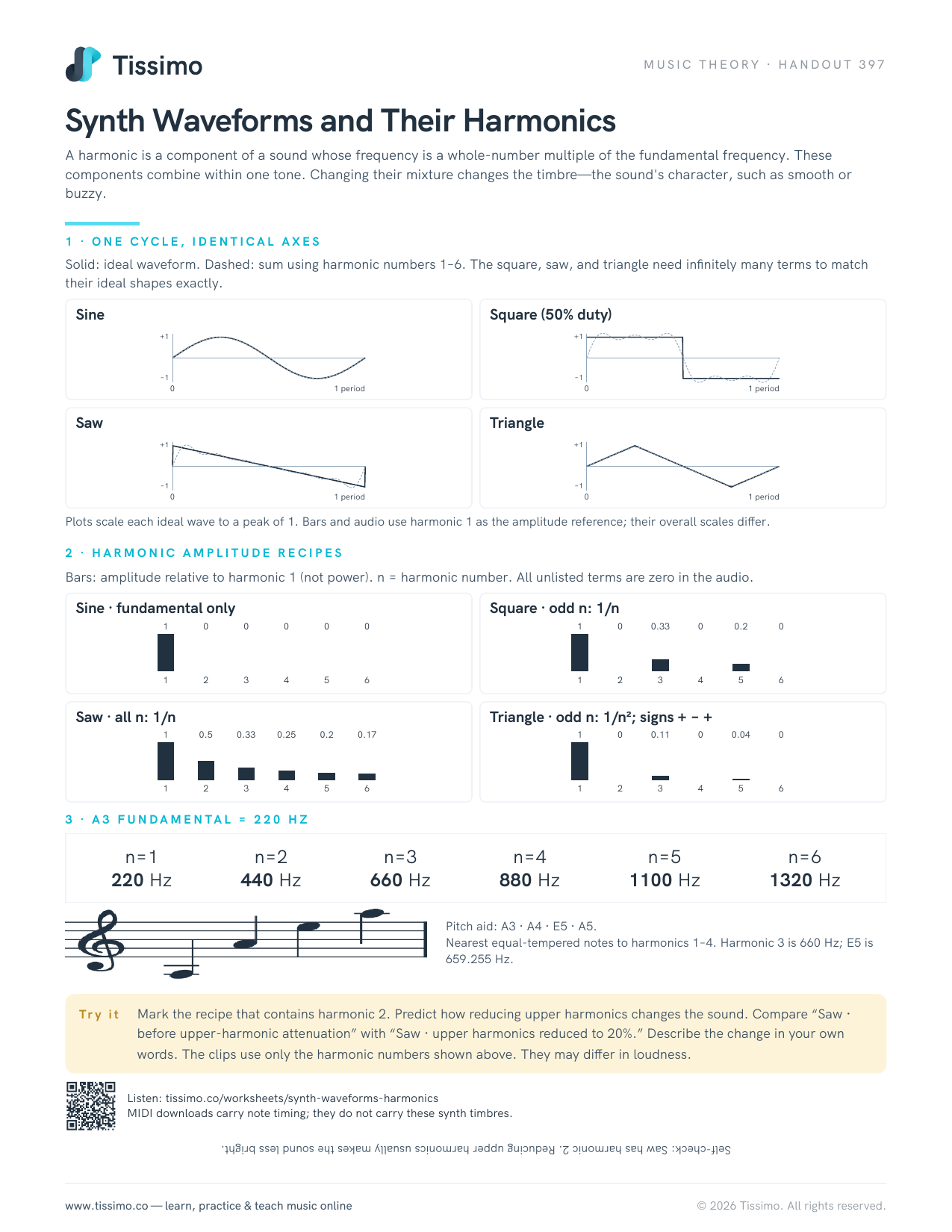
A musical note is usually a mixture of frequencies: a fundamental that we hear as the pitch, plus many overtones above it that shape its timbre. An equalizer turns chosen frequency ranges up or down. The bass and treble knobs on a home stereo are a simple EQ; a studio EQ gives much finer control.
The controls
- Frequency: which part of the spectrum to change, in hertz (Hz). Human hearing spans roughly 20 Hz to 20,000 Hz (20 kHz).
- Gain: how much to boost (+) or cut (−), in decibels.
- Q (bandwidth): how narrow or wide the change is. A high Q affects a small slice of the spectrum; a low Q a broad region.
Filter shapes
- High-pass filter (low cut): progressively attenuates frequencies below a chosen cutoff. Useful for clearing low rumble from voices and instruments that don't need deep bass.
- Low-pass filter (high cut): progressively attenuates frequencies above a chosen cutoff, softening or darkening a sound. The filter slope sets how rapidly the level falls; the cutoff is not a brick wall.
- Shelf: raises or lowers everything above (high shelf) or below (low shelf) a point, like a tone control.
- Bell (peak): boosts or cuts a band around one frequency.
- Notch: a very narrow cut, used to remove a single problem tone such as a hum.
A parametric EQ lets you set all three controls for each band; a graphic EQ has a row of sliders at fixed frequencies.
A rough map of the spectrum
The boundaries are approximate and depend on the instrument, but as a guide: the lows (roughly below 250 Hz) give weight and warmth, and too much sounds boomy or muddy. The mids carry most of the body and character of voices and instruments, and too much can sound boxy or harsh. The highs (roughly above 5 kHz) add brightness, presence and air, and too much sounds thin or hissy.
How to use EQ
- Listen first. Decide what is wrong, or what you want, before touching anything.
- Cut before you boost. Removing a problem often works better than boosting everything around it, and it keeps more headroom.
- Sweep to find problems. Make a narrow boost, sweep it slowly across the range until an unpleasant ring or boom jumps out, then turn that boost into a cut.
- EQ in context. A sound that seems thin on its own may fit perfectly in the full mix. Judge it with everything playing.
- Compare fairly. Switch the EQ on and off at matched loudness, because louder often just sounds "better".
Synth Waveforms and Their Harmonics shows the harmonic content that EQ is shaping.
Common questions
What does EQ do in music?
It turns particular frequency ranges up or down, changing a sound's tone: removing rumble or harshness, adding warmth or brightness, and helping instruments sit together without masking each other.
What is a high-pass filter?
An EQ filter that lets higher frequencies pass while progressively reducing lower ones. Its cutoff and slope determine the transition; it does not instantly remove everything below one frequency.