Music Production
Velocity
Velocity records how fast a key or pad was struck. In MIDI 1.0 it ranges from 0 to 127; instruments use it to control loudness, tone or other aspects of a note.
When you press a key on a MIDI keyboard, it measures how quickly the key travels and sends that as the note's velocity, along with the note number (MIDI). A gentle touch sends a low number, a hard strike a high one. In MIDI 1.0 the value runs from 0 to 127; a note-on message with velocity 0 acts as a note-off, so sounding notes use 1–127. MIDI 2.0 uses 16-bit velocity (0–65,535), and a note-on velocity of zero does not mean note-off.
What velocity changes
Velocity is only a number; what it does depends on the instrument that receives it.
- Loudness: almost every instrument plays louder at higher velocities, as a real piano does.
- Tone: many sampled instruments contain several recordings of each note, called velocity layers, so a hard note sounds brighter and more forceful, not just louder. Synthesizers often link velocity to brightness or to the attack of the envelope.
- Choice of sound: some instruments switch to a different recording at high velocities, for example a slap on a bass.
Velocity in notation and in a DAW
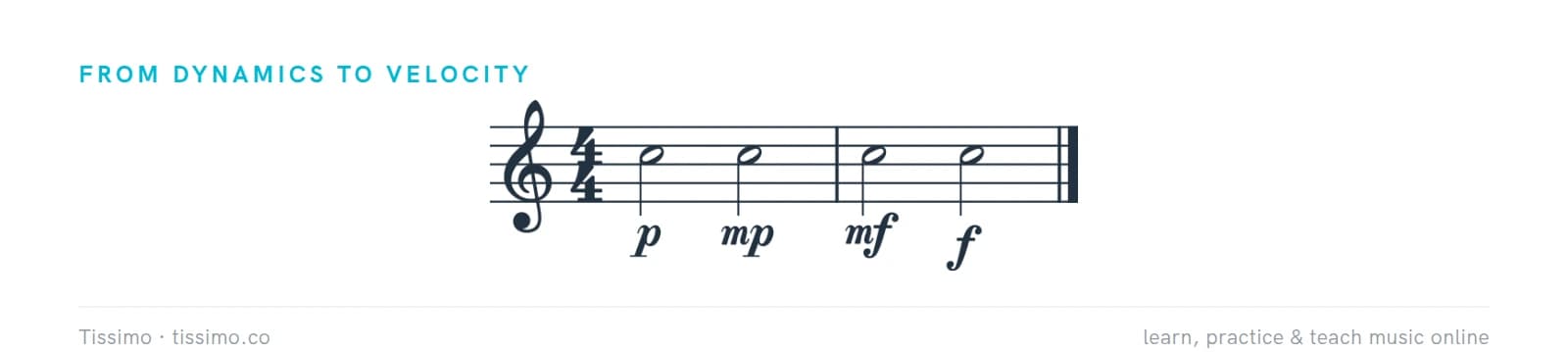
In printed music, loudness is written as dynamics, such as p and f, and applies until the next marking. In MIDI, every note carries its own velocity instead. In a piano roll, velocity usually appears as a row of vertical bars under the notes, or as the color of each note, and you can edit it note by note.
Velocity curves
Players have different touches, and keyboards respond differently, so most keyboards and DAWs offer velocity curves. A "soft" curve gives higher velocities for a light touch; a "hard" curve needs more force to reach the top. If you can't play quietly, or can't reach full volume, adjust the curve rather than changing your technique to suit the keyboard.
Programming realistic parts
Notes all drawn at one velocity sound mechanical. To make parts you enter by hand more musical:
- Give strong beats slightly higher velocities than weak ones.
- In drum parts, add quiet ghost notes on the snare between the main hits.
- Shape phrases: let velocities rise through a crescendo and fall away at the end of a phrase.
- Add small random variations with a "humanize" function, but keep the musical shape.
Common questions
What is velocity in MIDI?
A value describing how fast a key was struck, often used for loudness and tone. MIDI 1.0 uses 0–127, with note-on velocity 0 meaning note-off; MIDI 2.0 provides higher resolution.
Why does my MIDI keyboard always sound too loud or too quiet?
Usually its velocity curve doesn't suit your touch. Change the curve in the keyboard's settings or in your DAW so that your softest and strongest playing cover the full range.