


%22><path id=%22Trazado_8231%22 d=%22M4.537 6h12.3a1.54 1.54 0 0 1 1.537 1.537v9.225a1.54 1.54 0 0 1-1.537 1.538h-12.3A1.54 1.54 0 0 1 3 16.762V7.537A1.54 1.54 0 0 1 4.537 6%22 class=%22cls-1%22 transform=%22translate(-3 -6)%22/><path id=%22Trazado_8232%22 d=%22m18.374 9-7.687 5.381L3 9%22 class=%22cls-1%22 transform=%22translate(-3 -7)%22/></g></svg>)



Help Center - Support Articles & FAQs

Account Management

Login with email and password
Follow these steps to log in to your Tissimo account using your email address and password.StepsGo to tissimo.co and click Log in in the top navigatio...

Login with a third-party provider
If you created your Tissimo account using Google, log in using that same provider. Google is currently the only third-party sign-in provider offered o...

Managing Your Login Methods
Your Tissimo account is tied to a single email address, and you can sign in to it in more than one way. This article explains the sign-in methods Tiss...

My Info — account settings
In the My Info section (Settings > My Info) you can update your display name, address, and profile image.Your first name is always shown in full. You ...

Password and security settings
Manage all security settings for your account from Settings > Password and Security. From here you can change your email or password, create a Tissimo...

Manage account settings
Access your account settings by clicking the menu icon in the upper-right corner and selecting Settings, or navigate directly to your Settings page. S...

Manage notifications
Customize your Tissimo push and email notification preferences from Settings > Notifications. Use the Push and Email tabs to control individual notifi...

Complete the teacher application
Before applying, review the Become a Teacher and Teacher Earnings pages to understand the platform. Then create a teacher account at tissimo.co and fo...

Inviting Friends to Tissimo
Tissimo's referral program lets you invite friends to the platform and may reward you both once they sign up and start taking lessons. Sharing Tissimo...

Delete your account
Warning: This is permanent. Student accounts are automatically restored if you log back in within 30 days; after that, your data is permanently delete...

Classroom Account Settings
Your Tissimo account settings let you control how you appear on the platform, how you're notified, and how your classroom experience works by default....

Classroom settings
Go to Settings > Classroom Settings to configure your default audio, video, and visual instrument preferences for the Tissimo lesson room.AudioSelect ...

Create a teacher account
Sign up for Tissimo using your email and password, or with your Google account. After account creation, you will be guided through the teacher onboard...

Creating a Student Account
Signing up for a Tissimo student account takes just a few minutes. Step 1: Choose How to Sign Up Go to tissimo.co and click Sign up, or go directly to...

Reset your password
If you have forgotten your Tissimo password or want to create a new one, you can reset it from the login page in just a few steps.StepsGo to tissimo.c...

Schedule an onboarding interview
After your teacher application is approved, Tissimo will email you a scheduling link. Click the link, select a 15-minute interview slot, and confirm. ...

Teaching policies
Go to Settings > Teaching Policies to configure your booking requirements and weekly teaching goal.Booking NoticeSet the minimum advance notice requir...

Time preferences
Go to Settings > Time Preferences to manage your time zone and calendar settings.Default Time ZoneSelect your primary time zone — all lesson times and...

Verifying Your Email Address
When you create a Tissimo account using an email address and password, you need to verify your email before you can access the full platform. Verifica...
For Teachers
Getting Started

Professional Guidelines
Music teachers on Tissimo are held to a high standard of professionalism. Guidelines cover language and communication, profile and course presentation...

Understanding Tissimo Service Fees and Your Take-Home Pay
Tissimo uses a transparent tiered fee structure. The more you teach, the higher your tier — and the more you take home from each lesson. This page exp...

Understanding Your Payout Method
Tissimo uses Stripe Connect to handle all teacher payouts securely. Once you complete Stripe onboarding, your lesson earnings and available payout bal...

Active Courses
Teachers > Onboarding > 8. Active Course(s) 👉 In this article: Active Course(s)Active Course(s) Courses are considered active if they are available t...

Opting In or Out of the Trial Satisfaction Guarantee
The Trial Satisfaction Guarantee lets students who are not satisfied with their trial lesson choose a credit to try another teacher or a refund to the...

Active Teachers
Teachers > Onboarding > 7. Active Teacher(s) 👉 In this article: Active Teacher(s)Set Weekly Teaching GoalComplete Teacher ProfileCreate Courses set t...

Financial Onboarding
Teachers > Onboarding > 6. Financial Onboarding 👉 In this article: Financial OnboardingSetup Payout AccountFinancial Onboarding Stripe, our payment p...

ID Verification
Teachers > Onboarding > 4. ID Verification 👉 In this article: ID VerificationHow does identity verification work?Best practices for a successful veri...

Schedule an Interview
👉 In this article: Schedule an interviewSchedule an interview 📝 Note. To schedule an interview you must first Complete the Teacher Application and b...

Succeed on Tissimo
👉 In this article: How to Succeed on TissimoHow to Succeed on Tissimo Adhere to our Professional Guidelines Ensure your equipment meets our minimum s...

Teacher Account
👉 In this article: Get FamiliarGet StartedGet Familiar 📝 Note. Before creating an account, we encourage you to review the pages listed below to lear...

Teacher Application
👉 In this article: Teacher ApplicationThe ApplicationResultsTeacher Application 📝 Info. To complete a Tissimo teacher application you need a teacher...

Teacher Earnings
Teachers > Onboarding > 9. Teacher Earnings 👉 In this article: Teacher EarningsTeacher Earnings 👉 To learn about payments and commissions please see...

Teacher Features on Mobile
Tissimo's teacher dashboard and classroom tools are fully accessible on mobile devices. You can manage your schedule, communicate with students, and r...

Tier 0 vs Tier 1
Teachers > Onboarding > 10. Tier 0 vs Tier 1 👉 In this article: Tier 0 vs Tier 1Tier 0 vs Tier 1 The commission rates for Tiers 0 and 1 are the same....
Profile & Courses

Profile Creation
Your Tissimo profile is the first thing students see when they are deciding whether to book a lesson with you. A complete, professional, and well-writ...

Teacher Profile Overview
Your Tissimo teacher profile is your public presence on the platform. A complete, professional profile significantly increases your chances of attract...

Profile Image & Display Name
The Overview page shows your current profile image, your Tissimo tier badge, and your display name — giving you a quick snapshot of how students see y...

Setting Your Location on Your Profile
Adding your location to your Tissimo profile helps students understand your timezone and lets Tissimo display your availability in their local time. I...

Setting Your Teaching Languages
Students on Tissimo come from around the world, and many prefer to learn in their native language. By setting your teaching languages, you make it eas...

Course Management Dashboard Overview
Your Course Management dashboard is the home base for everything you teach on Tissimo. From one page you can review your overall teaching stats, brows...

Review Archived Courses
It can be useful to revisit archived courses — for example, to check the description before creating a new version, review your historical student sta...

Previewing Your Profile as a Student
Before a student sees your profile, you should see it the same way they will. Tissimo's profile preview lets you check everything — your bio, courses,...

Responding to Student Reviews
When a student leaves a review on your profile, you have the opportunity to respond publicly. A thoughtful response shows prospective students that yo...

Adding a Profile Cover Image
Your cover image is the large banner that appears at the top of your public teacher profile. It is the first visual impression a student gets when the...

Adding or Changing Your Profile Video
A short intro video is one of the most effective ways to attract students on Tissimo. It lets prospective students hear your voice, see your teaching ...

Adding Your Education and Experience
Students want to know they are learning from someone who has genuinely mastered their craft. Adding your education and experience to your Tissimo prof...

Archive Courses
Archiving a course removes it from search results immediately and prevents new students from enrolling. This is the only way to permanently remove a c...

Controlling Your Profile Visibility
There are times when you do not want new students to find or enroll in your courses — whether you are taking a vacation, your schedule is fully booked...

Course Cards
Course Cards are the visual tiles that represent your courses on the Courses page and on your Teacher Profile page. They give students a quick overvie...

Course Creation
Courses are how you offer your teaching services on Tissimo. Each course represents a specific instrument, subject, or teaching format that students c...

Course Detail
The course detail page shows all the information about a given course. Use it to review performance metrics, manage enrollment, and make edits on the ...

Create Courses
The Course Management page is where you view, create, edit, and archive your courses. Follow the steps below to create a new course.Getting StartedLog...

Edit Courses
You can update most course details at any time. Some fields are locked after creation to avoid confusing students who are already enrolled.How to Edit...

Editing an Existing Course
You can update most of a course's details at any time from the course editor — its image, description, tags, lesson durations, levels, and promotional...

Share Your Courses
Sharing your courses is one of the most effective ways to attract new students. Each course on Tissimo has a unique shareable link.How to ShareOpen th...

View Courses Stats
The top of the Course Management page displays a statistics summary of all your courses at a glance.Stats ExplainedCourses — Total number of courses a...

What is a Course?
Courses are the core teaching units on Tissimo. Each course represents a specific instrument or subject you offer for private lessons, and students en...

Writing Your Short Bio
Your short bio appears on your profile and gives prospective students a quick snapshot of who you are as a teacher. It has a 100-character limit, so t...
Lessons & Notes

The Tissimo Classroom — Teacher Overview
Tissimo has its own built-in virtual classroom — you don't need Zoom, Google Meet, or any external tool. Everything you need to teach a live 1-on-1 le...

Setting Your Cancellation and Reschedule Policies
Clear cancellation and reschedule policies protect your time and set fair expectations for students. Tissimo lets you configure these policies from yo...

Upcoming Lesson Notes
The Upcoming Lesson Notes view shows you scheduled lessons coming up over the next 30 days, along with the status of any notes you have prepared for t...

Create Lesson Notes
Lesson Notes are structured assignments you send to students after a lesson. They help students know exactly what to practice before the next session....

Edit Lesson Notes
You can edit Lesson Notes at any time before they are finalised. Sending notes before the lesson starts only shares them with the student — they remai...

Send Lesson Notes
Once you have written Lesson Notes for a session, you can send them to your student. Sending makes the notes visible to the student. If you send befor...

View Sent Lesson Notes
Once your Lesson Notes are finalised (sent after the lesson has started), the lesson is archived in the Sent section. You can review them at any time ...

Unsent Notes vs. Sent Notes
Tissimo separates your Lesson Notes into two clear states — Unsent and Sent — to protect the integrity of what students receive. You can manage all le...

Recent Lesson Notes
The Recent Lesson Notes view shows past lessons from the last 30 days of your teaching history, grouped into Unsent and Sent categories. Access it fro...
Notes Calendar
The Notes Calendar gives you a date-based view of your lessons, making it easy to navigate to any past or upcoming session and manage the lesson notes...

Lesson Notes vs. Student Notes
Tissimo provides two distinct note types for teachers. Understanding the difference helps you use each one effectively.Lesson NotesLesson Notes are as...

Create Student Notes
Student Notes let you document ongoing observations and progress for each student — separate from lesson-specific notes. Creating notes regularly help...

View Student Notes
Student Notes are your private notes about each student. They are never visible to students — they exist solely to help you remember preferences, goal...

Sort Student Notes
When you have notes across many students, the sort feature helps you quickly find the student you are looking for or identify which students need more...

View Notes by Category
The Notes page lets you browse your lesson notes by category, making it easy to review specific types of feedback or instruction across multiple lesso...

Understanding Bonus Payouts
In addition to your base tier rate, Tissimo offers two types of bonuses that can increase your effective payout percentage. These bonuses reward loyal...

Drawing and Annotation in the Classroom
The drawing pad is a shared drawing surface you can open during a live lesson. Every stroke you make appears on your student's screen in real time, ma...

Lesson Cards
Lesson Cards appear on your Overview page and show a summary of each upcoming or recent lesson at a glance.What a Lesson Card ShowsLesson start and en...

Sending Lesson Notes to Students
Lesson notes are how you send practice assignments, feedback, and repertoire reminders to a student. You write them in the classroom notes panel (or f...

Using the Guitar Chord Tool in the Classroom
The guitar chord tool provides an interactive fretboard diagram right inside your Tissimo classroom. Use it to show students chord shapes and fingerin...

Using the In-Classroom Metronome
The metronome is a built-in classroom tool that helps you and your student stay on beat during lessons. It runs directly in the browser using high-qua...

Using the Piano Keyboard Tool in the Classroom
The piano keyboard tool is an interactive on-screen keyboard available during your Tissimo lessons. Use it to demonstrate notes and highlight specific...

Viewing a Lesson Receipt
After every completed lesson, Tissimo generates a receipt that breaks down exactly how your payout was calculated. Receipts help you track your earnin...
Students
Search Your Students
The Students page includes a search bar that lets you quickly locate any student by name — useful when you have a large roster across multiple courses...

Student Preview Row
On the Students page, each student is displayed in a row that gives you key information at a glance and quick access to common actions. To find a spec...

Student Detail
The Student Detail page is your central hub for everything related to one specific student. It combines lesson history, notes management, and quick-ac...

Student Lesson History
The Student Lesson History page gives you a chronological record of every lesson you have held with a specific student. Use it to track progress, revi...

Active Students
Understanding which of your students are active helps you prioritize outreach, track engagement, and manage your teaching schedule effectively.What is...

Filter Your Students by Courses
If you teach multiple courses, the Students page displays all of your students together by default. The course filter lets you narrow the list to stud...

Sort Your Students
The Students page lets you sort your student list so the most relevant students appear at the top. This is especially helpful when you have a large nu...

Student Messaging
You can send a direct message to any student from the Students page, without navigating to the full Messages page. This is useful for quick follow-ups...
Student Notes
Student Notes let you keep a running record of observations, goals, and progress for each individual student — separate from the notes you take during...
Messaging & Notifications

Notifications Feed
The Notifications Feed on your Overview page gives you a quick look at your most recent activity alerts, so you can stay on top of what is happening w...

Controlling Who Can Message You
Tissimo Messaging keeps you connected with the students you teach. As a teacher, you also have a single setting that controls whether people who have ...

Messages Feed
The Messages Feed on your Overview page shows a preview of your unread messages, so you can quickly see if any students have been in touch without nav...
Analytics & Progress

Teacher Dashboard Overview
The Teacher Dashboard is the first page you see after logging in as a teacher. It gives you a real-time snapshot of your teaching activity and serves ...

Setting a Weekly Teaching Goal
Setting a weekly teaching goal helps you stay on track and build a consistent schedule. Tissimo's dashboard lets you set an hour target and track your...

Tier Progress
Tissimo rewards teachers for loyalty and seniority through a tier system. Higher tiers earn lower service fees, meaning you keep more of your earnings...

Time Spent Teaching
The Time Spent Teaching widget on your Overview page shows the total number of completed teaching hours over a selected time period.Selecting a Timefr...
Timeframe Selection
The Timeframe Selection dropdown lets you filter lesson history on the Students page by a specific time period.Available TimeframesLast 30 daysLast 90...

Upcoming Lessons Calendar
The Upcoming Lessons Calendar is a compact calendar on your Overview page that highlights the days you have scheduled lessons.Reading the CalendarOnly...

Weekly Teaching Progress
The Weekly Teaching Progress widget on your Teacher Dashboard shows how much of your weekly teaching goal you have completed for the current week.Sett...
Sheet Music

Search for Sheet Music
The Sheet Music store is where you browse and search Tissimo's curated catalog of play-along sheet music. You can access it at Tissimo Sheet Music. Fo...

Search Your Sheet Music
The Sheet Library search lets you quickly find sheet music across both the Tissimo Sheets you've added to your library and your own uploaded pieces — ...

Preview & Listen to Sheet Music
Before adding a Tissimo Sheet to your library, you can preview it directly from the sheet music search results page to check it is the right piece and...

Open a Music Sheet
From your Sheet Library you can open any piece of sheet music to view, play along, or use during a lesson. There are two ways to open a sheet dependin...

Sort Your Sheet Music
The sort feature lets you reorder the sheet music in your sheet music library so you can quickly find what you need. You can sort by multiple criteria...

Rate & Review Sheet Music
Ratings and reviews help the Tissimo team improve the sheet music catalog and help other teachers and students choose the right pieces.Reading Reviews...

Add Sheet Music to Your Library
Adding a Tissimo Sheet to your library unlocks the full interactive experience — multi-page playback, tempo control, and in-lesson use.Why Add a Sheet...

Filter Your Sheet Music
As your Sheet Library grows, filters help you quickly find the right type of sheet music without scrolling through everything at once.The Four Filter ...

Share Sheet Music
You can share Tissimo Sheets with your students, parents, colleagues, friends, and family — making it easy to recommend pieces for home practice or co...

Sheet Library Overview
The Sheet Library is your personal music sheet workspace. It is where you view, play, manage, and upload sheet music for use during your lessons.View ...

Suggest Sheet Music
Tissimo's team is always expanding the catalog of curated sheet music. If you cannot find a piece you need for your lessons, you can suggest it for th...

Tissimo Music Sheets
Tissimo Sheets are a unique type of sheet music hand-picked and professionally edited by the Tissimo team. They are available for free to all Tissimo ...

Tissimo Sheet Preview Panel
The sheet music preview panel appears on the right side of the Sheet Library when you click a sheet title in Panel View. It gives you fast access to t...

Upload Your Own Sheet Music
In addition to Tissimo's curated catalog, you can upload your own sheet music PDFs to the Sheet Library.How to UploadOpen your Sheet LibraryClick Uplo...

View & Play Tissimo Sheets
Your Sheet Library lets you open and play back any Tissimo Sheet you have added to your collection.Viewing a SheetOpen your Sheet Library from the mai...

View Sheet Music Details
Clicking on any sheet music result opens its detail view, giving you a closer look before deciding to add it to your library.What the Detail View Show...
Payments & Payouts

Your Financial Page: An Overview
The Financial page is your central hub for tracking your earnings, managing payouts, and reviewing your financial history on Tissimo. This article giv...

Removing a Course
Tissimo supports removing a course from the platform, but the process follows a structured wind-down to protect students who have already purchased ho...

Logout
You can log out of your Tissimo teacher account from any page on the platform.How to Log OutClick the two-dot menu ( ⋮ ) in the upper-right corner of ...

Profile Left Panel
The left panel of your teacher profile displays at-a-glance information that helps prospective students quickly assess whether you are the right fit f...

Profile Main Body
The Main Body section of your teacher profile contains the most detailed information students use when deciding whether to book a lesson.Courses Start...

Teacher Profile
Click the share icon in the header area to copy your profile URL. Send it via email, social media, or messaging apps to promote yourself outside of Ti...

Time Zone Selection
Tissimo supports multiple time zones so you can accurately schedule lessons with students around the world.Setting Your Time ZonesAdd and manage your ...
For Students

Student Dashboard Overview
When you log in to Tissimo, the first thing you see is your student dashboard — a snapshot of your lessons, practice, and quick access to key sections...

Reading a Teacher Profile
To view a teacher's full profile, click their photo or name in the teacher directory. You will be taken to their profile page at a URL like /music-tea...

Booking Your First Trial Lesson
A trial lesson is the best way to get started on Tissimo. It is a single session that lets you experience teaching with a specific teacher before comm...

How to Join a Lesson
Tissimo lessons take place in Tissimo's own built-in virtual classroom — you don't need Zoom or any external app. You join directly from within the Ti...

Rating a Lesson After It Ends
After a lesson ends, Tissimo gives you the opportunity to rate the session. Your rating helps the teacher understand how the lesson went and helps Tis...

Setting Up Recurring Weekly Lessons
Once you have completed a trial lesson and decided to continue with a teacher, you can set up recurring weekly lessons. Your lessons will be auto-sche...

How to Cancel an Upcoming Lesson
If you need to cancel a lesson, you can do so directly from your Lessons dashboard. Cancellation policies may affect whether you receive a credit back...

The Student Lessons Page Overview
The Lessons page is your central hub for tracking all your lessons. Find it by clicking Lessons in the main navigation. Upcoming Lessons The lessons l...

Leaving a Review After Your Lessons
Your feedback matters. Leaving a review helps other students find teachers who are a great fit, and it helps teachers understand what they are doing w...

Saving and Managing Favourite Courses
When you find a teacher you like but are not ready to book yet, you can save their course to your favourites. This lets you build a shortlist and come...

Course Balance and Automatic Refill
Your course balance is a pool of credits held specifically for a single course with a single teacher. It's separate from any other courses you may hav...

Managing Payment Methods and Billing
Tissimo uses your saved payment method to charge for trial lesson bookings and to automatically refill your course balance for recurring lessons. You ...

Viewing Your Transaction History
Your transaction history shows every payment made through your Tissimo account — trial lesson purchases, course balance top-ups, automatic refills, an...

Viewing and Managing Your Practice History
Your practice history keeps a record of every session you log — how long you played, which piece you worked on, and when. You can find it in the Histo...

Setting Your Weekly Practice Goal
A weekly practice goal gives you a clear target to work toward and helps you build a consistent routine. You can set and adjust your goal from your st...

Adding More Hours to a Course
Each course on Tissimo has a balance of lesson hours. When your balance runs low, you can add more hours at any time. For a full explanation of how co...

Adding Practice Time Manually
If you practice outside the Tissimo app — for example, with a physical instrument, printed sheet music, or a separate music app — you can log that tim...

Adjusting Classroom Audio and Camera Settings
Inside the Tissimo classroom, you have controls to adjust your microphone, camera, speaker, and other settings. Here is how to access and use them. Fi...

Browsing Music Courses on Tissimo
Tissimo's course catalog lets you browse lessons by instrument, level, price, and more. This guide walks you through how to find courses that match wh...

Browsing Teachers Overview
Find Your Perfect Music Teacher Tissimo connects you with a wide community of classical music teachers who are ready to help you grow as a musician. W...

Cancelling or Modifying a Recurring Lesson
If you need to change or stop your recurring lesson schedule, you have several options depending on whether you want to cancel a single occurrence, pa...

Contacting a Teacher Before Booking
Why Contact a Teacher First? Reaching out before your first booking is a great way to make sure you and the teacher are a good fit. You can ask about ...

Finding the Right Music Teacher on Tissimo
Tissimo connects students with classical music teachers from around the world. Whether you are a complete beginner picking up an instrument for the fi...

Get Teacher Recommendations with the Lesson Inquiry Form
You don't have to search the teacher directory on your own. If you'd like a hand choosing, fill in Tissimo's short lesson inquiry form: tell us who th...

How to Find a Music Teacher
The teacher directory is where your search begins. You can reach it at any time from the main navigation — no account required to browse. You will lan...

How to View a Teacher's Availability Before Booking
Before you commit to booking a lesson, you can browse a teacher's availability calendar to see which days and times they have open. This helps you fin...

Student Features on Mobile
Every student feature on Tissimo is available on your phone or tablet. The mobile layout adapts to a single-column design so you can browse teachers, ...

Troubleshooting: Browsing Teachers
No Teachers Appearing in the Directory If the teacher directory looks empty or shows very few results, an active filter is the most common cause. Chec...

Using Search Filters
Use the instrument, price range, and rating filters on the Tissimo teacher directory to narrow your results. Apply one filter or combine several — the...

Using Sheet Music During a Lesson
The Tissimo virtual classroom includes a built-in sheet music display so you and your teacher can view and share music in real time — no need to share...

Using the Practice Page
The Practice page is your dedicated space for structured self-study between lessons. It brings together everything you need to practice effectively — ...

Viewing Lesson Notes Sent by Your Teacher
After each lesson, your teacher can send you a set of notes summarizing what you covered, listing assignments, and tracking the pieces you are working...
For Affiliates

Affiliate Program Overview
The Tissimo affiliate program lets you earn commissions by referring new students and teachers to the platform. Whether you run a music blog, teach in...

How to Apply as a Tissimo Affiliate
Applying to the Tissimo affiliate program takes just a few minutes. The application is a multi-step form that collects basic information about you and...

Using the Affiliate Dashboard
The Overview page is the first thing you see when you open your affiliate dashboard. It gives you a high-level snapshot of your affiliate activity and...

Affiliate Dashboard: Referrals
The Referrals page shows every person who signed up through your unique referral link, along with their activity and the commissions they have generat...

Affiliate Dashboard: Finances
The Finances page gives you a detailed view of everything you have earned as a Tissimo affiliate, along with tools to request a payout. Earnings Summa...

Affiliate Dashboard: Resources
The Resources page provides ready-made promotional materials you can use to share Tissimo with your audience and grow your referral earnings. Resource...

Affiliate Dashboard: Sheet Library
The Sheet Library gives you access to a collection of sheet music, including sheets provided by Tissimo and any sheets you have uploaded yourself. Cat...
Lessons & Scheduling

One-Time vs Recurring Lessons — What's the Difference?
When booking lessons on Tissimo, you can choose between one-time lessons and recurring lessons. Understanding the difference helps you pick the right ...

Satisfaction Guarantee: Trial Lessons
Tissimo offers a satisfaction guarantee on introductory 30-minute trial lessons with teachers who show the Satisfaction Guarantee badge. If you are no...

Your Lessons Page — A Complete Guide
Your Lessons page is where you keep track of every lesson with your teachers. Instead of a list of tabs, it is built around a monthly calendar with a ...
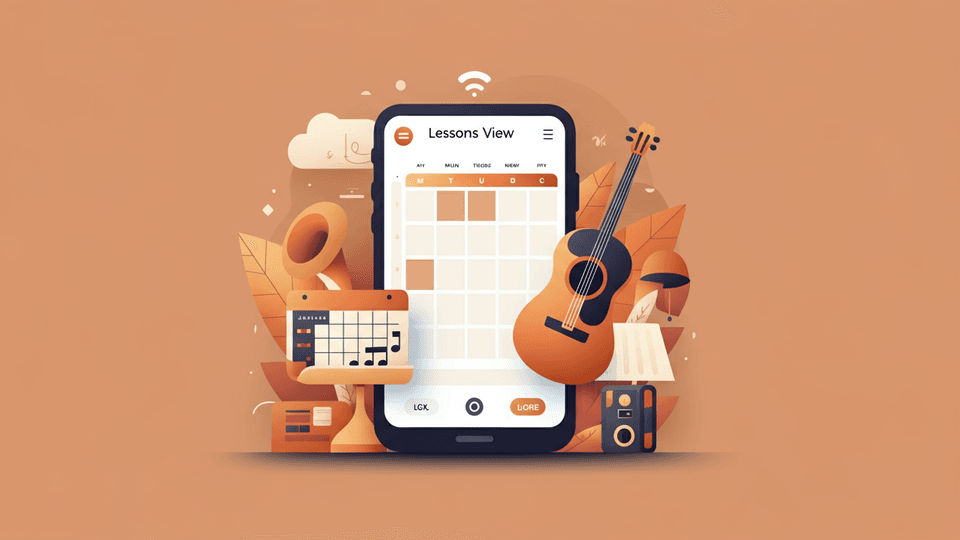
Lessons View
The Lessons View is a streamlined calendar showing all days with booked, rescheduled, or canceled lessons. Use the arrow buttons to navigate months. Y...

Getting into Your Classroom
When it is time for your lesson, you access the classroom directly from your Tissimo account. Here is how to get in. How to Join Your Classroom Go to ...
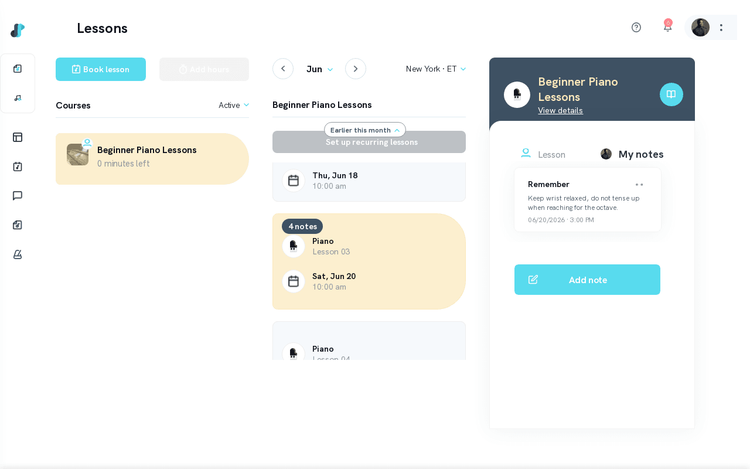
Accessing Your Lesson Notes as a Student
After a lesson, your teacher may share notes to help guide your practice. You can access these from your Tissimo account at any time.How to Access You...

Manage Availability
On the Schedule page you can manage your availability and view scheduled lessons. Tissimo provides two complementary layers: Recurring Availability (r...

Recurring Availability
Recurring Availability lets you define a standard weekly teaching schedule that repeats automatically. Once set, these time slots appear as bookable f...

Understanding Lesson Packages and Hour Bundles
Instead of paying for lessons one at a time, you can purchase a bundle of lesson hours and load them into your course balance. This gives you more val...

Transferring Your Balance Between Courses
On Tissimo, your course balance is tied to a specific course with a specific teacher. This design ensures your prepaid hours are always available for ...

Daily Availability
Daily Availability lets you make exceptions to your Recurring Availability for specific dates — adding extra slots, blocking time off, or adjusting ho...

How to Reschedule a Lesson (Students)
If you need to move an upcoming lesson to a different time, you can reschedule it directly from your Lessons dashboard, subject to the teacher's resch...

Pre-Lesson Setup and Device Check
A few minutes before each lesson, run through this quick checklist to make sure your audio, video, and connection are ready. Good preparation reduces ...

Unsuccessful Trial Lessons
If a student is not satisfied after a 30-minute introductory trial lesson, the student can choose either a credit to book a trial with a different tea...
Payments & Billing

Stripe Onboarding — Common Questions
To receive lesson payouts on Tissimo, you need to complete Stripe onboarding. This process connects your identity and bank account through Stripe Conn...

Understanding Your Transaction History
Your transaction history is a complete record of all financial activity on your account. Every lesson earning, payout, and adjustment is logged here s...

How the Tier System Affects Your Earnings
Tissimo's tier system determines the percentage of each lesson payment you take home. As you teach more hours, you move up in tiers and keep a larger ...

Payout History
The Payout History section on your Finances page gives you a complete record of all withdrawal transactions you have made on Tissimo. Use it to track ...

Regular Payout
Regular Payout is a flexible payout option that lets you withdraw your earnings at any time, as long as your balance is at least $10. Unlike Standard ...

Instant Payout — Eligibility and Requirements
Instant payout lets you transfer your available balance to your bank account immediately, rather than waiting for the standard processing time. Howeve...

Lifetime Earnings
Your Lifetime Earnings show the total amount you have earned while teaching on Tissimo since you joined the platform. This cumulative figure is displa...

How Refunds Work on Tissimo
We want every lesson to be a great experience. When things do not go as planned, Tissimo has clear refund policies in place. How your refund is handle...

Add or Change Payout Methods
Before you can withdraw your earnings on Tissimo, you must add at least one payout method. Tissimo supports two types of payout methods:Bank checking ...

Adding a Bank Account for Payouts
Before you can receive earnings from your lessons, you need to connect a bank account through Stripe — the secure payment processor Tissimo uses for a...

Current Balance
Your Current Balance is the amount of earnings that are available for withdrawal right now. It reflects the total payments you have received for compl...

Earnings Chart
The Earnings Chart provides a visual representation of your earnings over time. Use it to track income trends, identify your busiest teaching periods,...

Instant Payout
Instant Payout is the fastest way to access your earnings on Tissimo. You can use it at any time to receive your funds in approximately 30 minutes, as...

Lessons Taught List
The Lessons Taught List on your Financial page provides a month-by-month history of every lesson you have taught on Tissimo. Use it to review your tea...

Standard Payout
Standard Payout is the free payout option available to US-based Tissimo teachers. It is ideal for teachers who accumulate larger balances and prefer t...
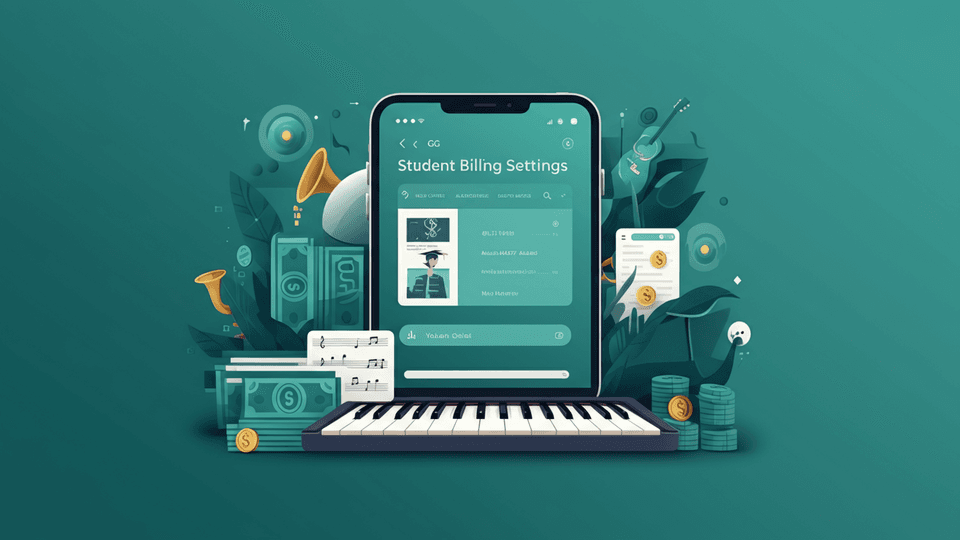
Student Billing Settings Overview
The Billing Settings page is where you manage how you pay for lessons on Tissimo. How to Access Billing Settings Log in to Tissimo and click your prof...

Understanding Tissimo's Service Fee (Students)
Tissimo is committed to transparent pricing. Here's a clear explanation of what you pay as a student and how Tissimo's service fee works.What You Pay ...

What Happens After a Successful Booking Payment
Once you complete your trial lesson booking and payment, a series of steps happen automatically to get you ready for your first lesson. Here's what to...

Withdraw Earnings
Tissimo offers three payout types that you can initiate from your Finances page:Standard — free, $500 minimum, payout available once every 2 weeks. Se...
Technical Support

Classroom Device Diagnostics
The Tissimo classroom gives you two ways to make sure your setup is ready for a lesson: a pre-classroom waiting area where you preview your camera and...

Music Mode: The Best Sound for Your Instrument in the Classroom
Video-call audio is tuned for speech. Noise suppression and automatic gain control make a voice easier to hear, but on an instrument they can cut off ...
General

Messages Overview
The Messages page is your communication hub on Tissimo. It allows you to stay in contact with enrolled students and, optionally, prospective students ...

Reply to Messages
Staying in touch with your students is easy through Tissimo's Messages page. You can reply to any active conversation at any time.How to ReplyOpen the...

Search Conversations
As you build up a student roster on Tissimo, you may find yourself managing many ongoing conversations. The search feature on the Messages page lets y...

Browsing Sheet Music on Tissimo
Tissimo has a sheet music library where you can find pieces for practice, lessons, and performance. This article walks through reaching the store, sea...

Saving Sheet Music to Your Wishlist
The wishlist is a simple way to bookmark priced sheets you're interested in so you can find them again later. It's handy when you come across a piece ...

Read Articles and FAQs
The Tissimo Help Center is your first stop for answers. It contains articles covering every feature of the platform, organized by category so you can ...

Request a Feature
Have an idea that would make Tissimo better for teachers or students? We actively review feature requests from our community and use them to guide our...

Contact Support
If you can't find the answer to your question in the Help Center, the Tissimo support team is here to help. We're committed to resolving your issue as...

Discovering Sheet Music by Era (Time Period Playlists)
Tissimo's Time Period Playlists are curated collections of sheet music organized by musical era. Whether you're exploring the ornate counterpoint of t...

Getting Started with the Tissimo Mobile App
Tissimo is a mobile-responsive web application that works directly in your phone or tablet's browser. There is no separate app to download from the Ap...

Provide Feedback
Your feedback matters to us. Whether you have a suggestion for improvement, a compliment to share, or a concern to raise, we want to hear from you. Fe...

Send File Attachments
Sometimes a lesson needs more than words. You can send files directly to students through Tissimo Messages — useful for sharing sheet music, backing t...

Start of Conversation
When a new student books a trial lesson with you, Tissimo automatically creates a conversation thread in your Messages page. This opens a channel of c...

Tracking Your Referrals
As a Tissimo affiliate, you can see exactly who signed up through your referral link and how much commission each referral has generated. The referral...

Using Emojis
Emojis are a great way to add warmth and personality to your messages with students. Tissimo includes a built-in emoji picker so you can express yours...

View File Attachments
Over the course of working with a student, you may exchange many messages and files. Rather than scrolling through an entire conversation to find a sp...