 Back
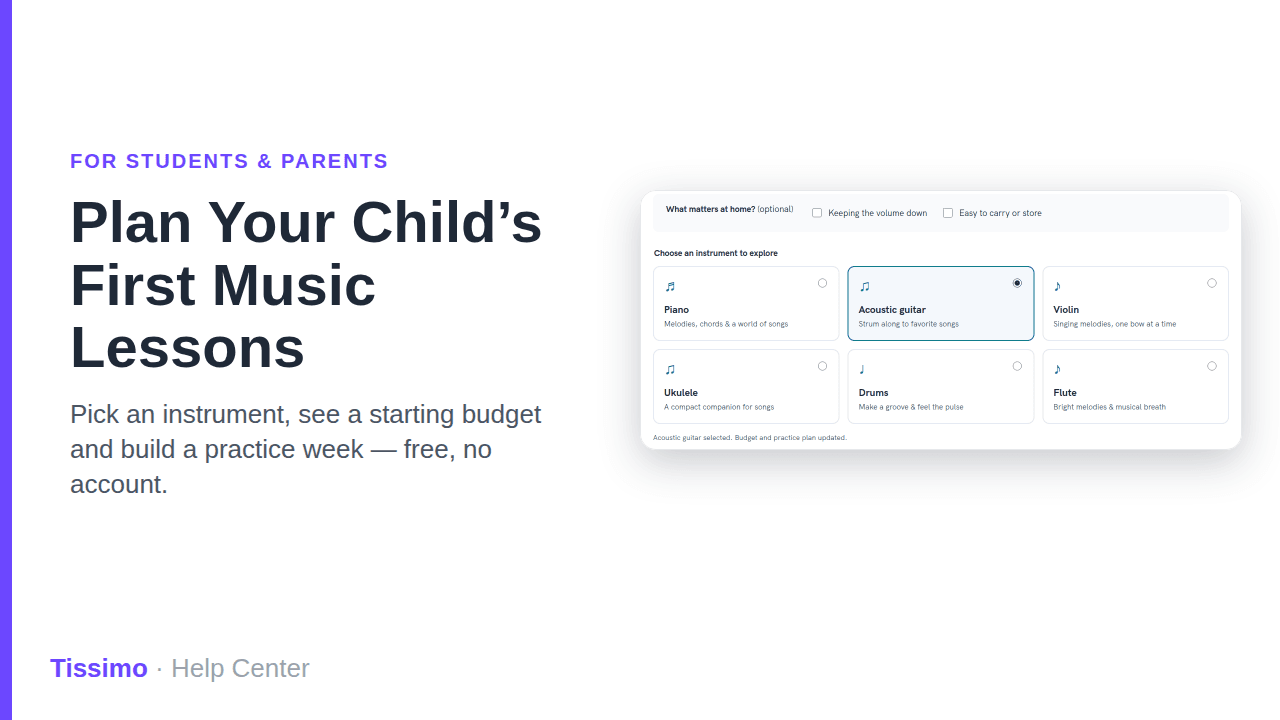
Plan Your Child's First Music Lessons with the First-Lessons Guide
Starting music lessons for a child can feel like a lot of decisions at once: which instrument, what to buy, how much to practice. Tissimo's first-lessons guide is a free, interactive page for parents that walks through those questions in a few minutes, before you pick a teacher. You don't need a musical background, an account, or to enter any details about your child.
Where to find it
- Open tissimo.co/first-lessons directly, or
- click First-lessons guide (English) in the site footer.
The guide is in English only. The page says it is Free to explore · No account needed · No child details requested.
Step 1: Choose an instrument
- Click Build your first-lessons plan, or scroll to What would they love to play?.
- Optional: under What matters at home?, tick Keeping the volume down and/or Easy to carry or store. If you do, the plan adds extra notes on sound and on space and carrying.
- Under Choose an instrument to explore, pick one of six cards: Piano, Acoustic guitar, Violin, Ukulele, Drums or Flute.

The cards are starting points, not a readiness test. A teacher can help you check comfort, instrument size and the kind of support that would make lessons enjoyable. You can pick a different card at any time, or click Reset guide to start over. Switching instruments starts a fresh budget and practice plan, so finish one before comparing another.
Step 2: Plan the essentials
Once you pick an instrument, a section titled A starting budget for that instrument appears. Use Buy equipment or Explore rental / borrowing to compare two ways to get started. You'll see three cost cards:
- Instrument / one-time purchase (or Instrument rental / month if you chose rental), with a note on what to look for
- Accessories / one-time allowance, for items like a case, tuner or stand
- Lessons / separate recurring cost, which reads Teacher sets the price

The amounts are approximate U.S. dollar planning ranges, not live quotes. Prices vary by location, condition and retailer, and taxes, delivery, repairs and lessons are extra. Lesson prices come from the teacher you choose, so keep them separate from equipment costs in your family budget.
Once a teacher has quoted you a lesson price, use the Plan your lesson month calculator below the cost cards to total it. Enter the Per-lesson quote (USD), the number of Lessons in your chosen month (0 to 31; count scheduled lessons, not weeks) and, optionally, One-time equipment / accessories (USD, optional). It then shows a Lesson-month total and a First-month total with entered one-time costs. Nothing is filled in for you and amounts are in U.S. dollars only. Taxes, fees, travel and repairs count only if you include them in your entries, and monthly rentals aren't included. Clear calculator empties the fields; your entries also clear when you reload the page, reset the guide or change instruments.
Step 3: Sketch a first practice week
The guide suggests starting with 10 minutes on four days, then adjusting together. Change the plan with:
- Minutes per session: 5, 10, 15 or 20 minutes
- Attach it to a familiar moment: After a snack, Before dinner, After breakfast or A flexible time
- Choose practice days: tick any days from Monday to Sunday
A summary such as 40 minutes across 4 days updates as you change the options, along with a simple routine for each session: a short Settle in, One small task for your chosen instrument, and Play for pleasure.

This is a suggested routine, not an age-based rule or a promise of progress. If practice becomes a struggle, shorten it, try a different time, or ask the teacher for a smaller task.
Step 4: Meet a teacher
At the bottom, A teacher for your first steps lists five questions to bring to a first conversation, such as whether the teacher can check your child's instrument size and setup before you buy, and what the lesson price, length and cancellation terms are. Click the Explore … teachers button for your instrument (for example, Explore acoustic guitar teachers) to see teachers for the instrument you picked, or Browse all instruments to see all of them.
Your choices aren't saved
The guide keeps your selections only in the page's memory. Reloading the page clears them, and nothing is submitted or stored as a child profile. If you want a plan to refer back to, take a screenshot or note the numbers down.
What to do next
- Compare teachers: see Finding the right music teacher on Tissimo and Browsing teachers overview.
- Want a hand choosing? Send the lesson inquiry form.
- Ready to try one? Read Booking your first trial lesson and the satisfaction guarantee for trial lessons.
- Ask first: Contacting a teacher before booking.

Comments